
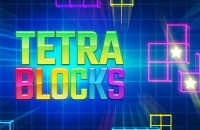






















Play Tetra Blocks Online
Tetra Blocks is a fun and casual puzzle game that you can enjoy right in your browser. If you love fitting shapes together and testing your quick thinking skills, this game offers a relaxing yet engaging experience. Best of all, you can play Tetra Blocks online with no download required, making it quick and easy to start playing anytime, anywhere. Whether you're a kid looking for a fun challenge or just want a simple game to pass the time, Tetra Blocks is a great choice accessible directly on FreeGeometryDash.com.
About Tetra Blocks
Tetra Blocks is a casual puzzle game centered around arranging falling blocks into complete lines or shapes. The game’s concept is inspired by classic block-stacking puzzles, where players must strategically position tetromino-shaped blocks to clear space and score points. The goal is to keep the playing field clear by continuously completing lines as new blocks descend, making it a test of both speed and planning. This blend of simplicity and challenge makes it enjoyable for players of all ages.
How to Play Tetra Blocks
The objective of Tetra Blocks is to place the falling blocks so that they fill horizontal lines without gaps. When a line is fully filled, it disappears, and you earn points. The game continues as blocks keep dropping, and the challenge is to prevent the stack from reaching the top of the screen. To start playing, simply launch the game in your browser and use the controls to move and rotate the blocks as they fall. The faster and more accurately you place them, the longer you can keep playing and the higher your score will be.
Enjoying Simple and Quick Puzzle Fun
Tetra Blocks offers an easy-to-understand gameplay style that invites players to enjoy quick sessions of puzzle-solving fun. The straightforward mechanics allow new players to jump right in without a steep learning curve, while the increasing speed of falling blocks keeps the game exciting and challenging. This makes it perfect for casual play when you want to relax or take a short break and still engage your mind with a classic block-fitting challenge.
Tetra Blocks Controls
Controls in Tetra Blocks are designed to be intuitive and responsive, suitable for both keyboard and mouse or touch devices. Here’s a general idea of how you might control the game:
- Use arrow keys to move the blocks left or right
- Press the up arrow or a specific key to rotate the blocks
- Use the down arrow to speed up the block's fall
- Alternatively, drag and tap on touchscreens to move and rotate blocks
Tips and Tricks for Tetra Blocks
- Plan your moves ahead to avoid stacking blocks too high.
- Focus on completing multiple lines at once for higher scores.
- Use rotations strategically to fit blocks into tight spaces.
- Keep an eye on the upcoming block to prepare your moves.
- Stay calm as the game speeds up to maintain control.
Why Play Tetra Blocks on Adventuregames.io?
Playing Tetra Blocks on Adventuregames.io offers a seamless and hassle-free experience. You can start the game instantly in your browser without any downloads or installations. This means less waiting and more playing, whether you're on a computer, tablet, or smartphone. Plus, the site makes it easy to discover other fun games if you want to explore new challenges after your Tetra Blocks session.
Similar Games You May Like
If you enjoy Tetra Blocks, you might also like these casual and puzzle-style games that offer similar fun and engaging gameplay:
Frequently Asked Questions About Tetra Blocks
Is Tetra Blocks free to play?
Yes, Tetra Blocks is free to play online, allowing you to enjoy the game without any cost.
Can I play Tetra Blocks online?
Absolutely! Tetra Blocks is designed to be played online directly in your browser, offering instant access.
Do I need to download Tetra Blocks?
No download is needed. You can play Tetra Blocks online with no download required, making it quick and convenient.
What are the controls for Tetra Blocks?
The game typically uses keyboard controls such as arrow keys for moving and rotating blocks, but it may also support mouse or touch input depending on your device.
How can I improve my score in Tetra Blocks?
Try to plan your block placements carefully, focus on completing multiple lines at once, and keep practicing to react faster as the game speeds up.
Comments
No comments yet. Be the first to comment.